The Marketing Operations System
Ship campaigns on time, with fewer mistakes and clean data, without buying a new tool.
A working system for small marketing teams and agencies whose work lives in chat threads. It follows one illustrative launch twice, once going wrong and once run properly, and gives you the spreadsheets to run your own: requests, calendar, briefs, tagged links, naming, approvals, QA, budget and SOPs.
One-time payment. Instant access, and future editions included.
- Also in The Complete Library: 10 books for ₹4,999
- Also in The Client Work Bundle: 3 books for ₹1,999
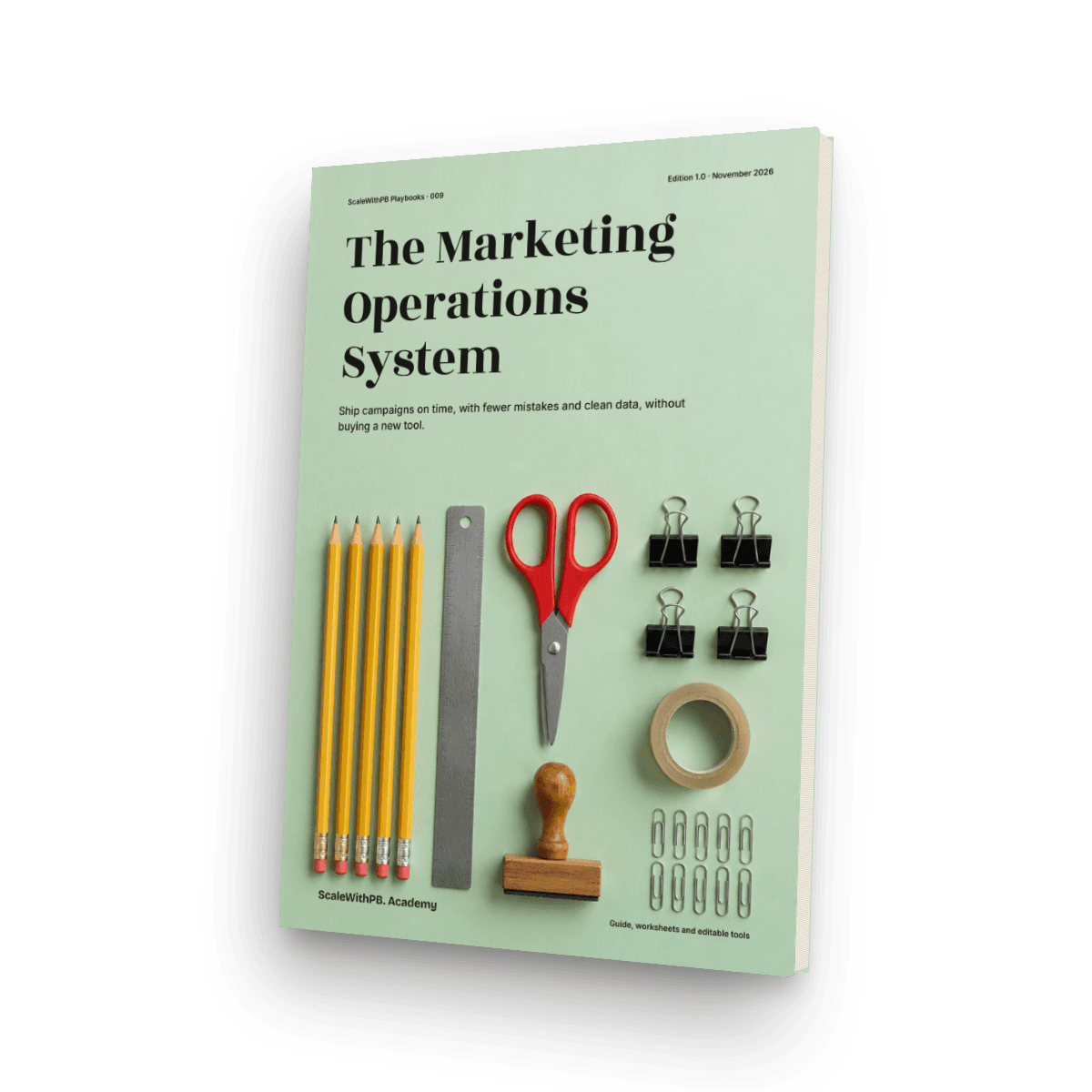
Your team is good. Your campaigns are running on WhatsApp.
A request is a voice note. A decision is a thumbs-up. The price is whatever someone said last. Then a launch goes out with a dead link, and on Monday nobody can say which ad sold what. This guide replaces the chat thread with a simple way of working that starts in a spreadsheet, so you can fix it this month without buying anything.
What you'll be able to do
- Bring every request through one door, and say no without a fight
- Plan campaigns backwards from the launch date, using real lead times
- Write a one-page brief a designer can use without a meeting
- Build tagged links that survive question marks and hash signs
- Name campaigns, ad sets and ads from dropdowns, before first publish
- Run a two-person QA and a real test order, including COD and UPI
- Track spend to date against plan, and log every budget change
- Write SOPs that let the work carry on when someone is away
Who it's for
- Small marketing teams. You're two to ten people, and most of your work lives in chat groups.
- Founders running marketing. You want launches to stop depending on who remembers what.
- Agencies and freelancers. You need clean handovers, client-ready audits and links that report properly.
Who it's not for
- Large teams looking for marketing automation or CRM administration. This is about how small teams work.
Why it's worth paying for
Spreadsheet first
Everything runs in Excel or Google Sheets. You don't need to buy a tool, and CSV files are included if you move to one later.
A UTM Builder that refuses bad links
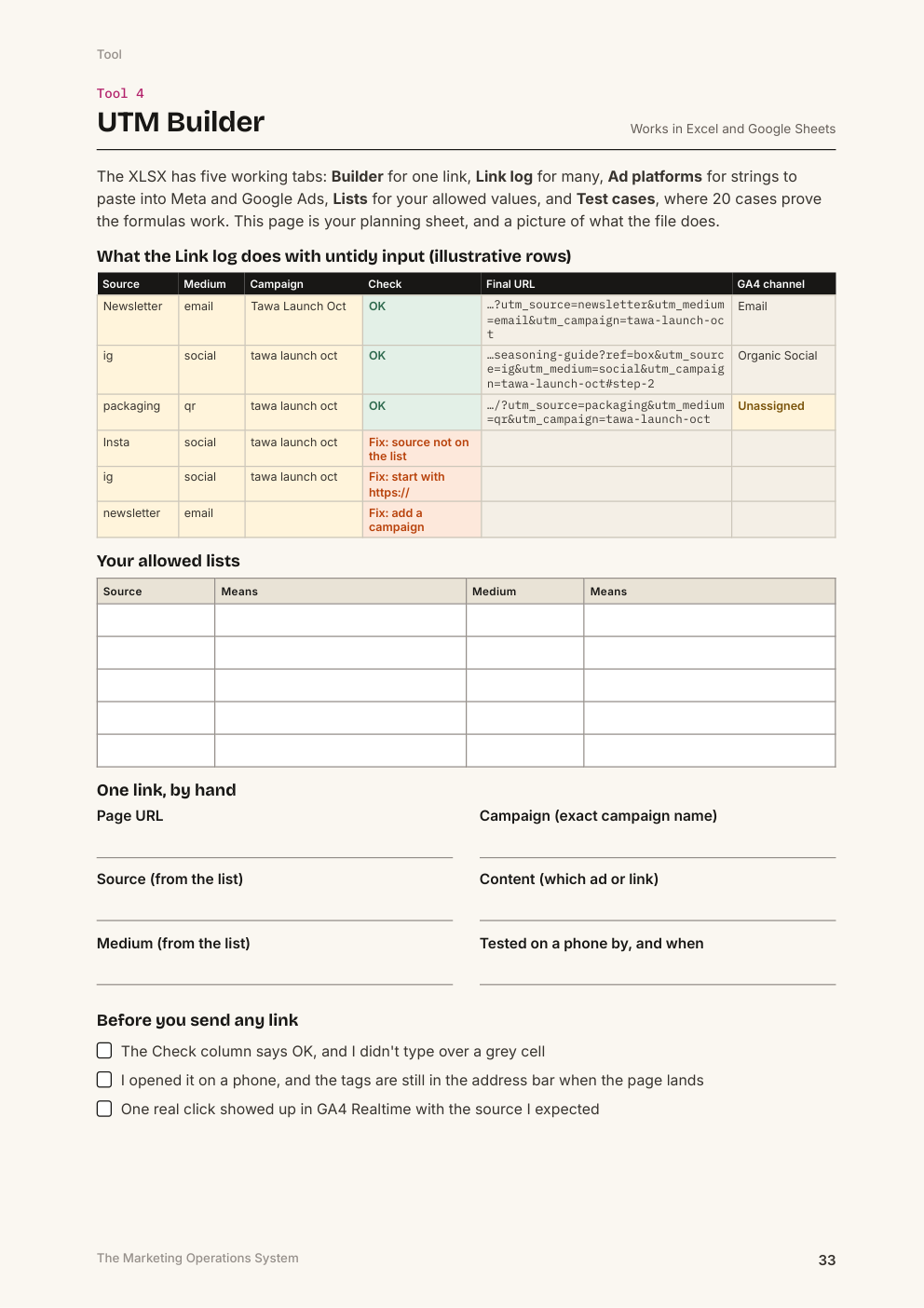
It lower-cases, replaces spaces, checks allowed lists, handles URLs that already contain ? or #, warns about duplicates and predicts the GA4 channel. It carries 20 written test cases.
One launch, told twice
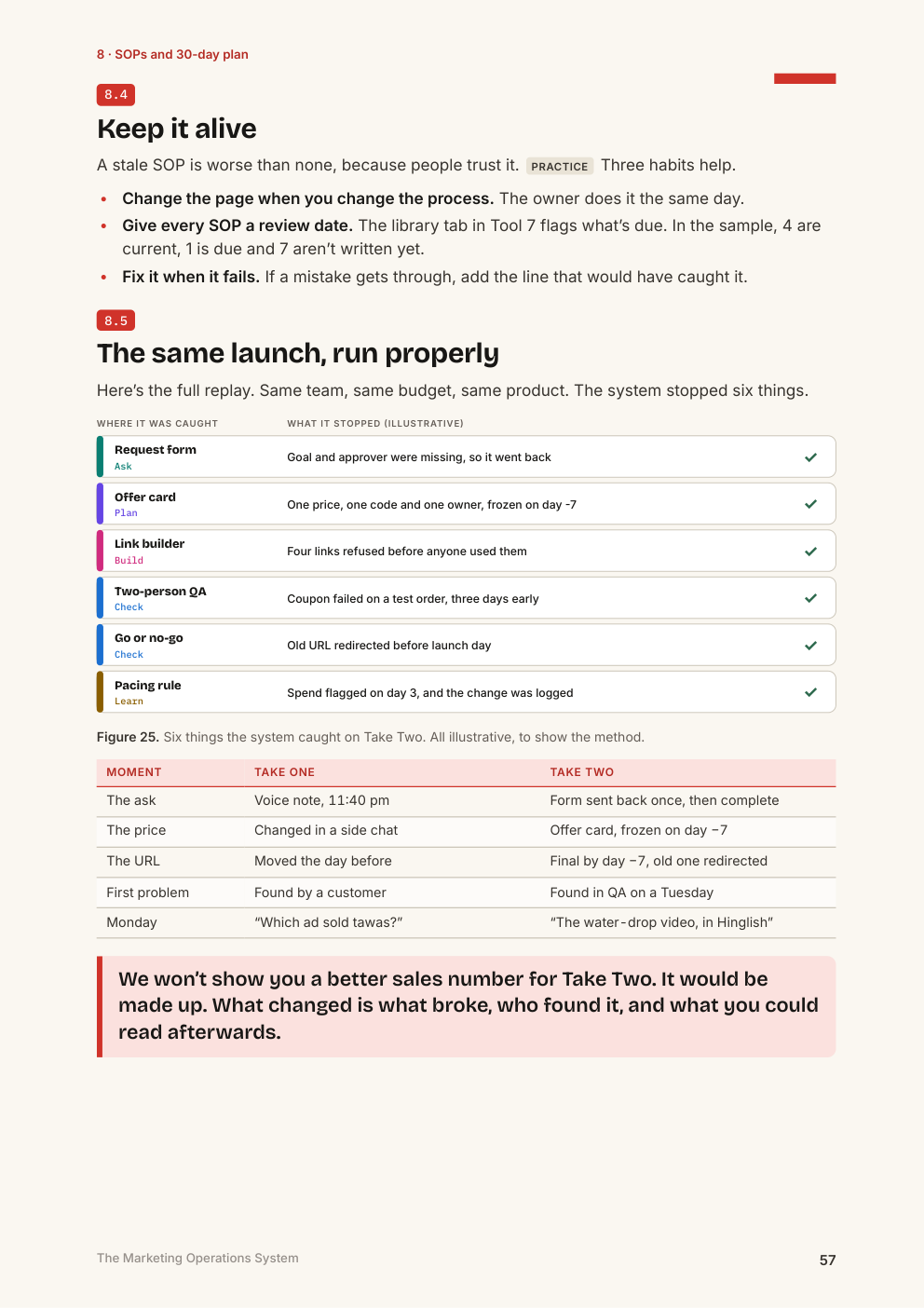
An illustrative team runs the same launch in chat, then with the system. You see what breaks, who finds it, and what you can read afterwards.
Written for teams who run on WhatsApp
Chat threads, COD and UPI test orders, GST pointers and Indian disclosure rules, with legal points flagged for review.
Every claim labelled
Each platform claim is tagged Documented, Practice or Hypothesis, with sources, dates and a list of what we could not verify.
What's included
| Item | What it does | Format |
|---|---|---|
| The guide | 68 pages, A4 PDF, with clickable contents and links | |
| Operations Audit | 35 checks, scored by section, naming what to fix first | XLSX, CSV, PDF page |
| Roles Matrix | One person answerable for each task, with a load view | XLSX, PDF page |
| Marketing Calendar | Requests, calendar, timeline, budget, pacing and a Monday log | XLSX, CSV |
| UTM Builder | Single links, a batch log, strings for Meta and Google Ads, allowed lists, and test cases | XLSX, CSV, PDF page |
| Naming Convention Generator | Campaign, ad set and ad names from dropdowns, plus a name checker | XLSX, PDF page |
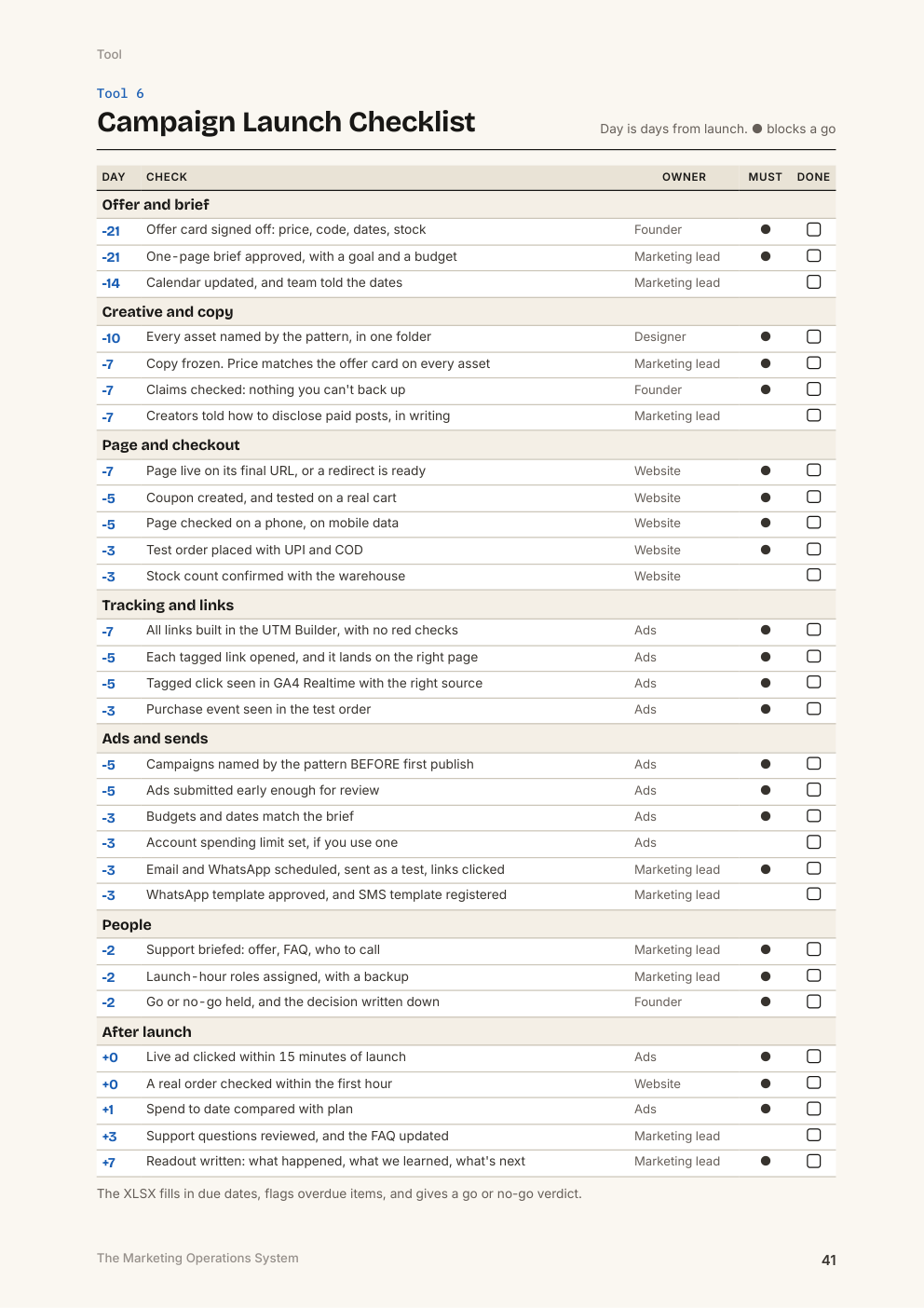
| Campaign Launch Checklist | 30 dated checks, approvals, issues and a go or no-go verdict | XLSX, CSV, PDF page |
| SOP Template | A library with review dates, a blank SOP and a worked example | XLSX, CSV |
| 30-Day Plan | One task a day, with dates that fill in | XLSX, CSV, PDF page |
| AI Prompt Pack | 12 prompts for briefs, QA, SOPs and readouts | PDF, TXT |
See inside
Real pages from the guide.
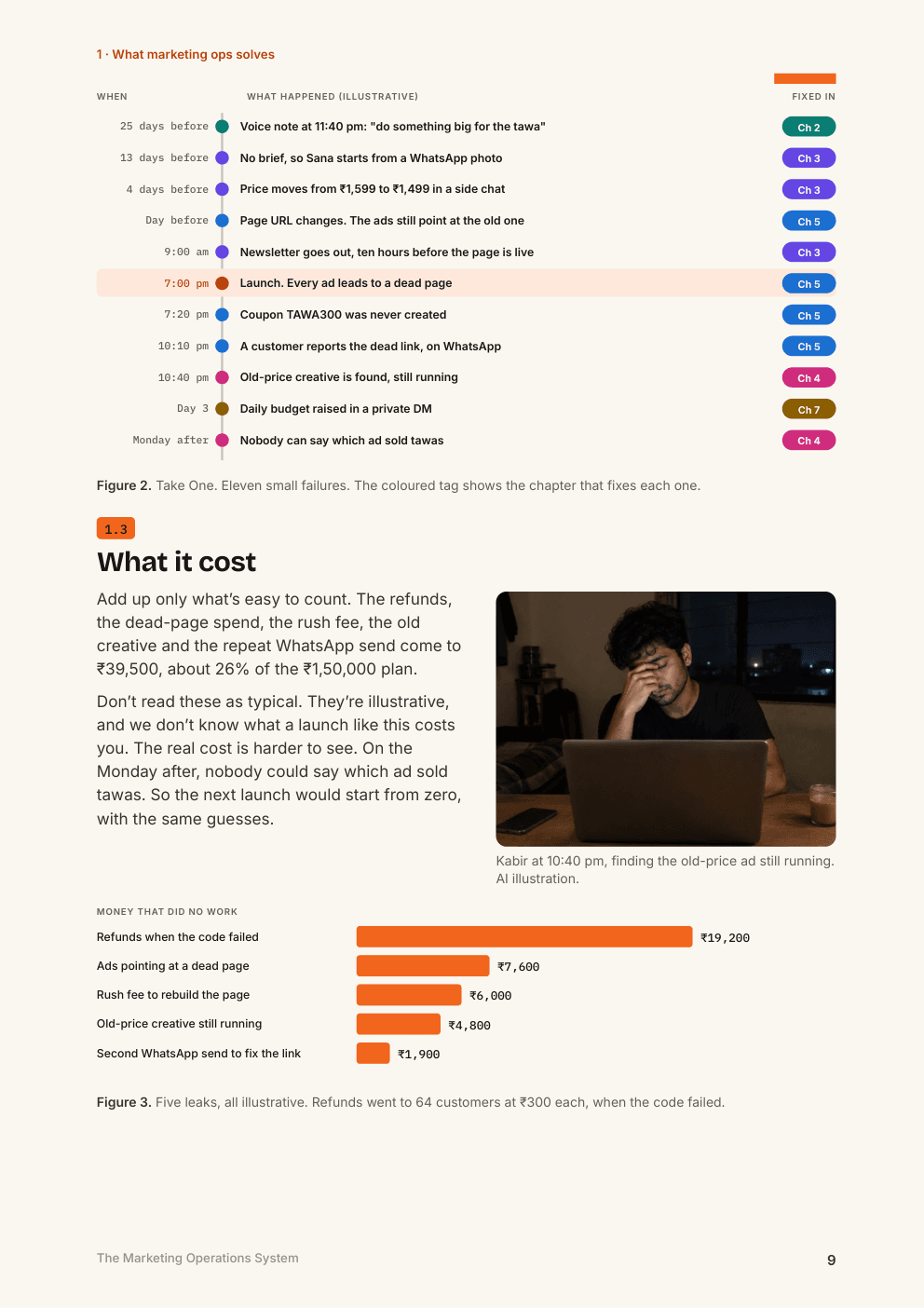
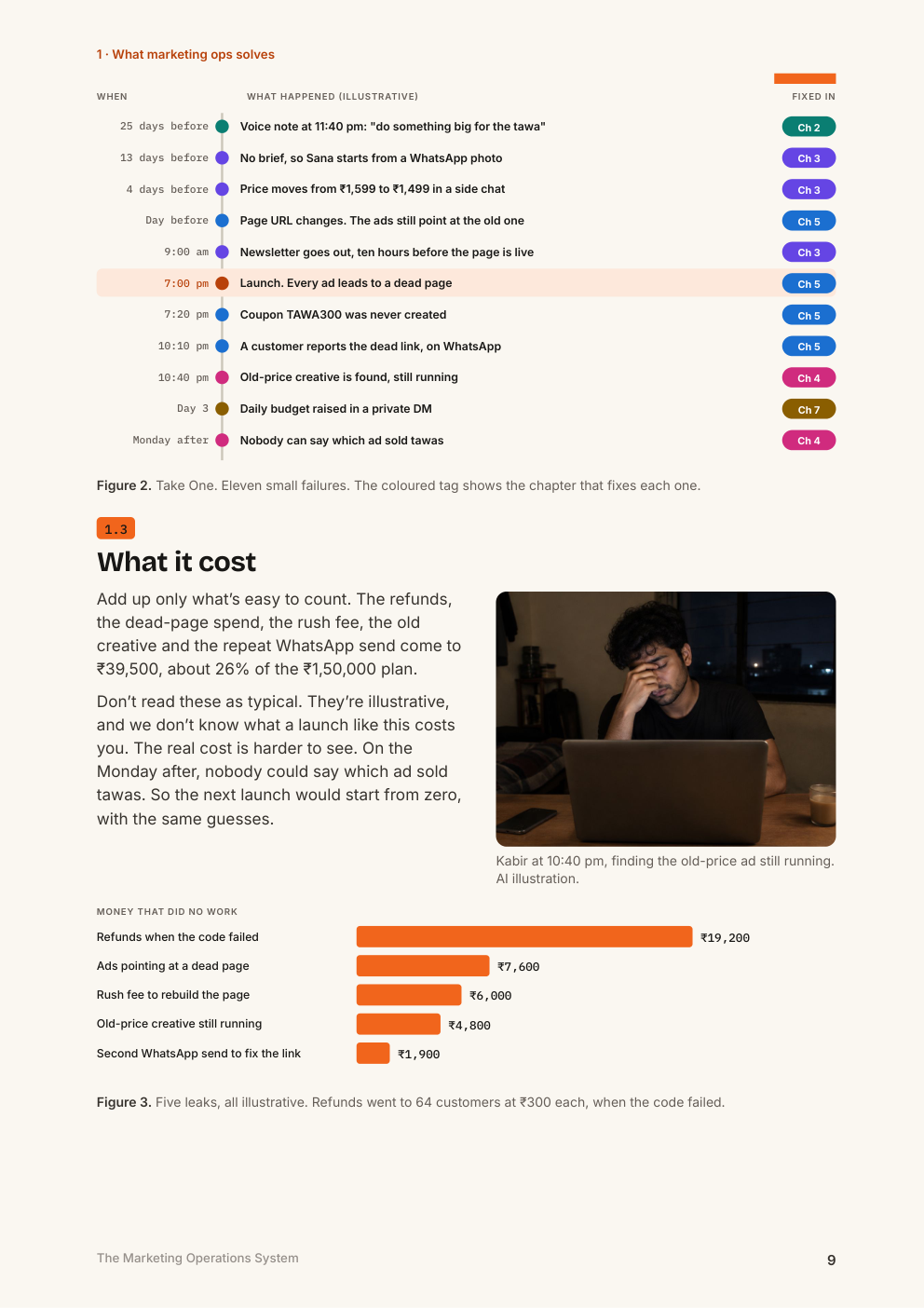
One launch going wrong, hour by hour
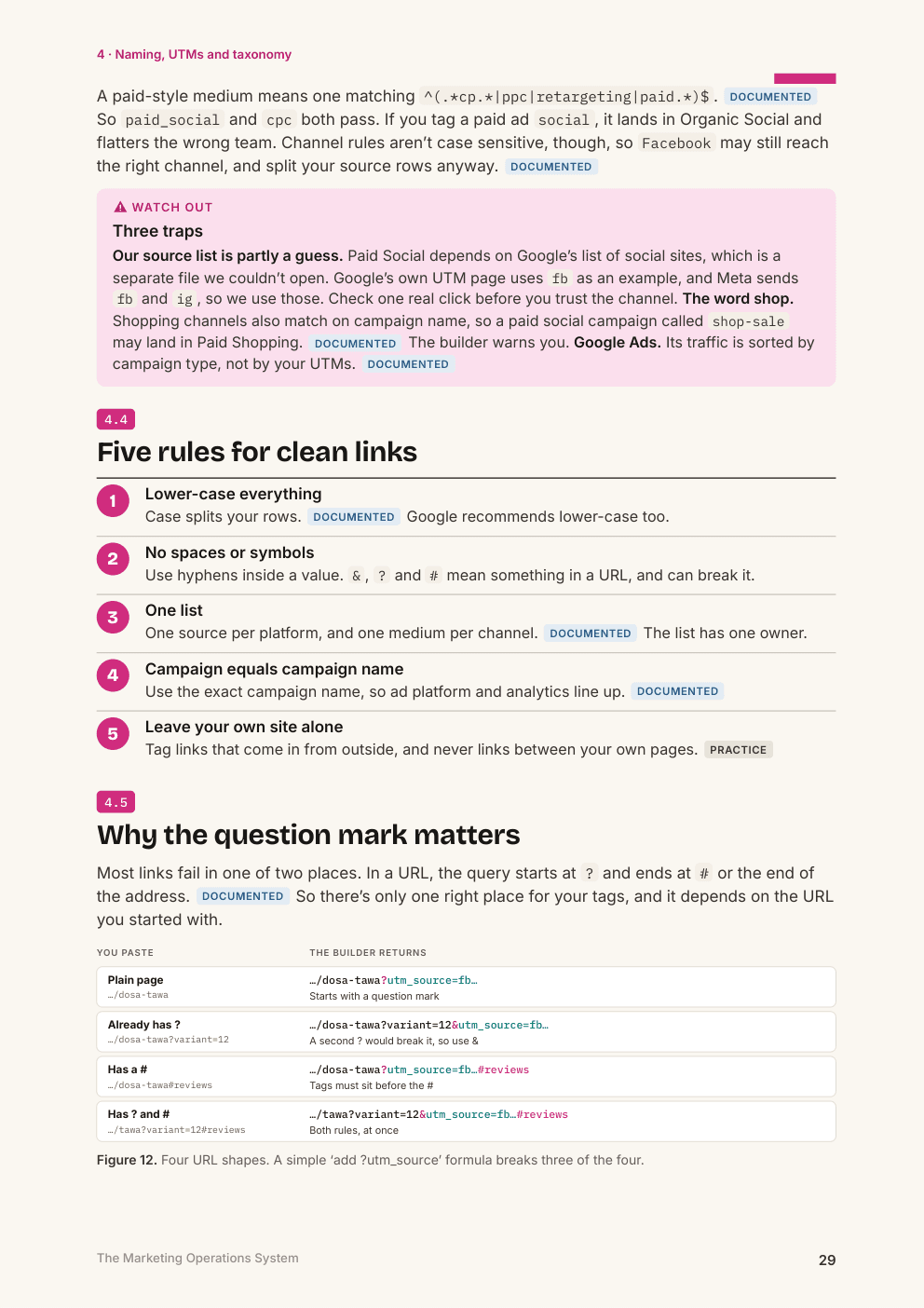
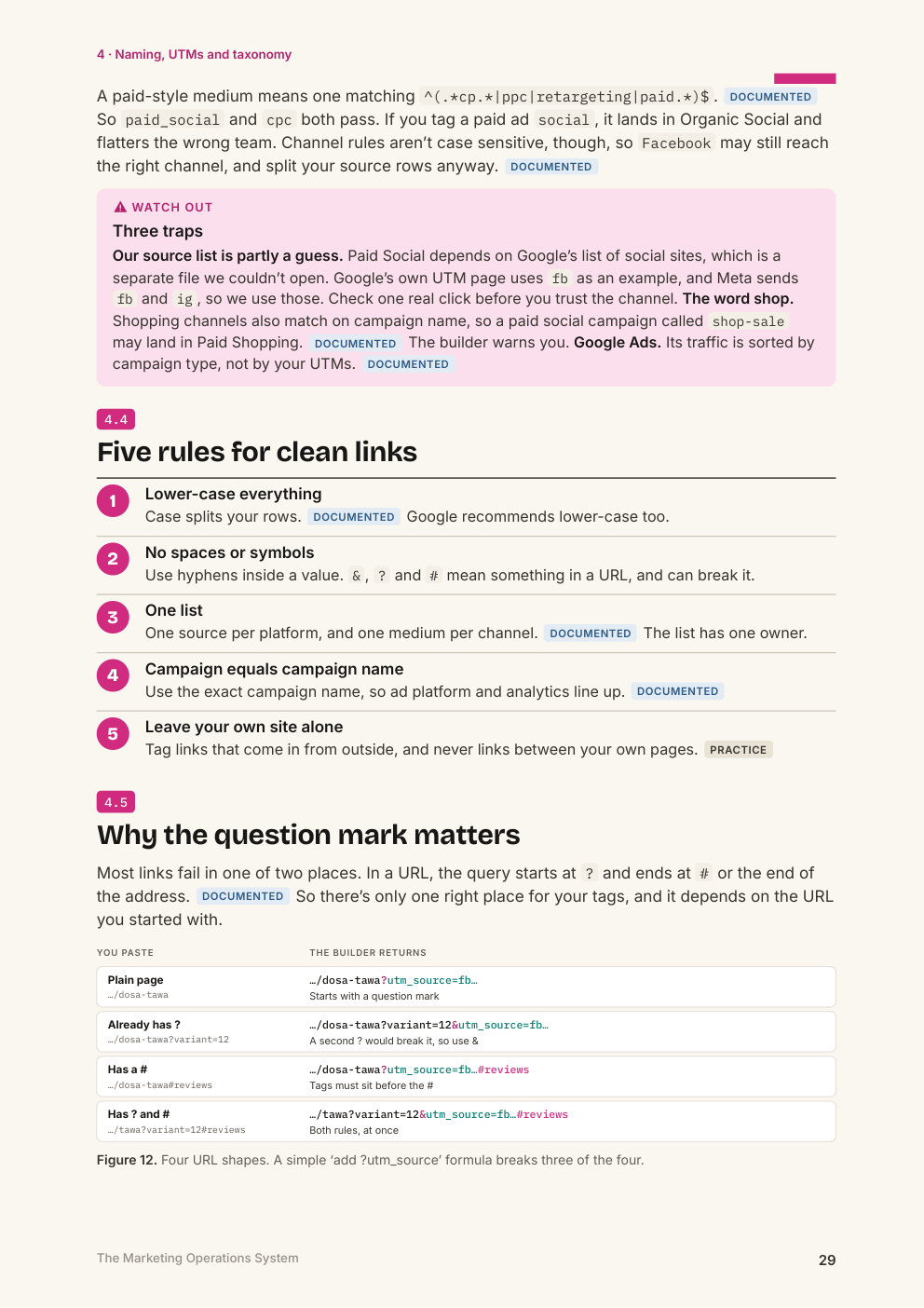
Why the question mark matters: four URL shapes
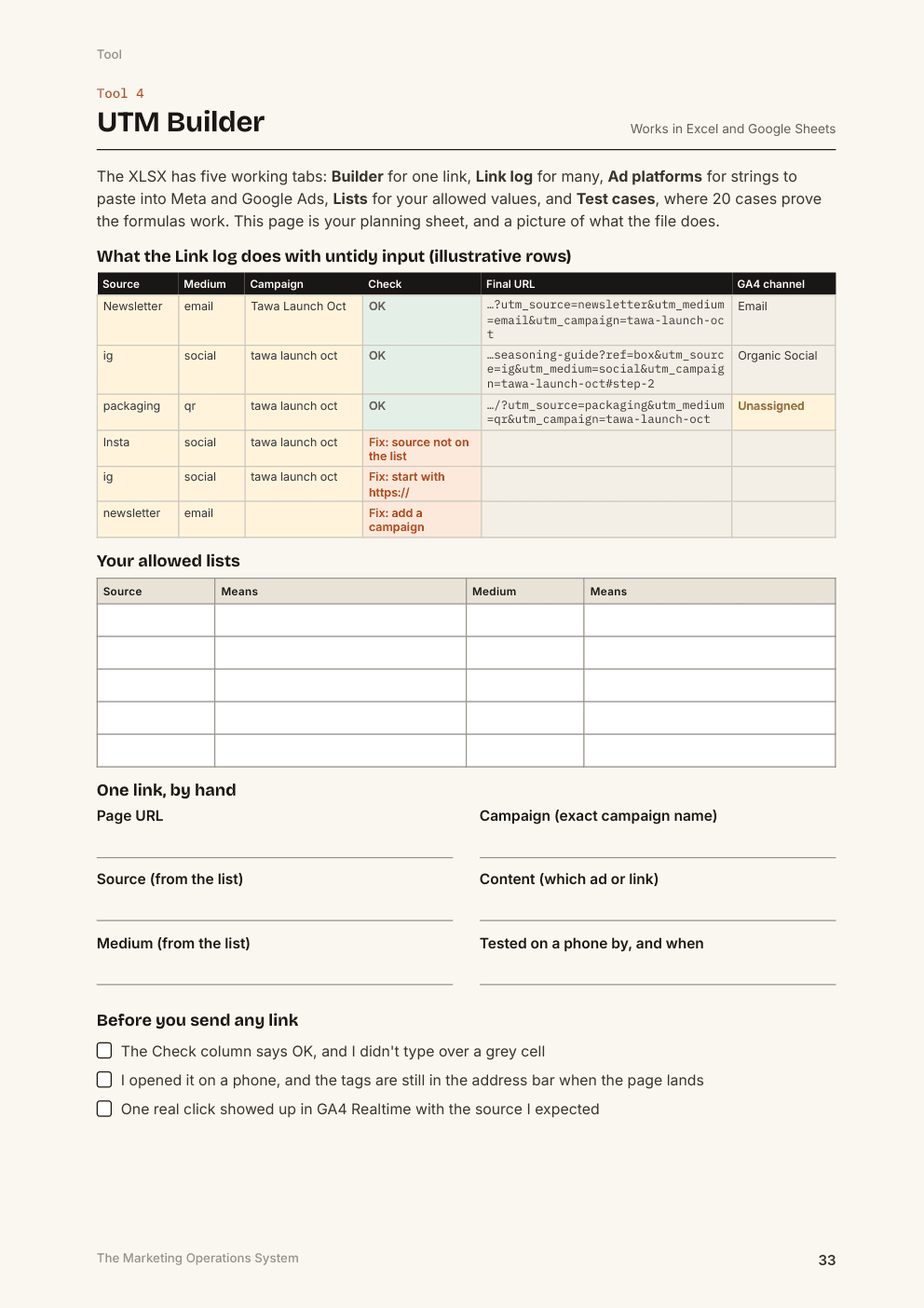
The UTM Builder, refusing bad links
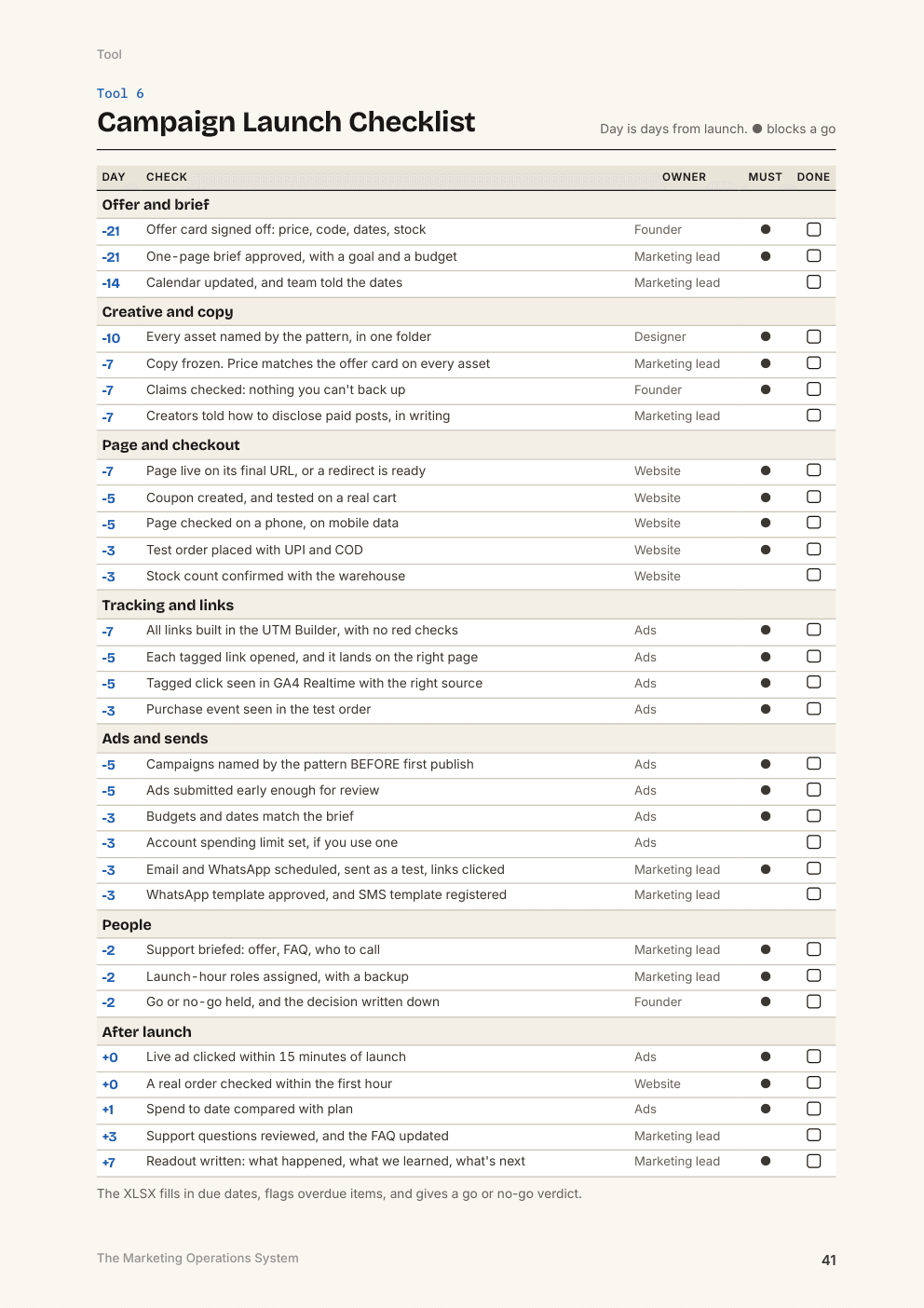
The Campaign Launch Checklist
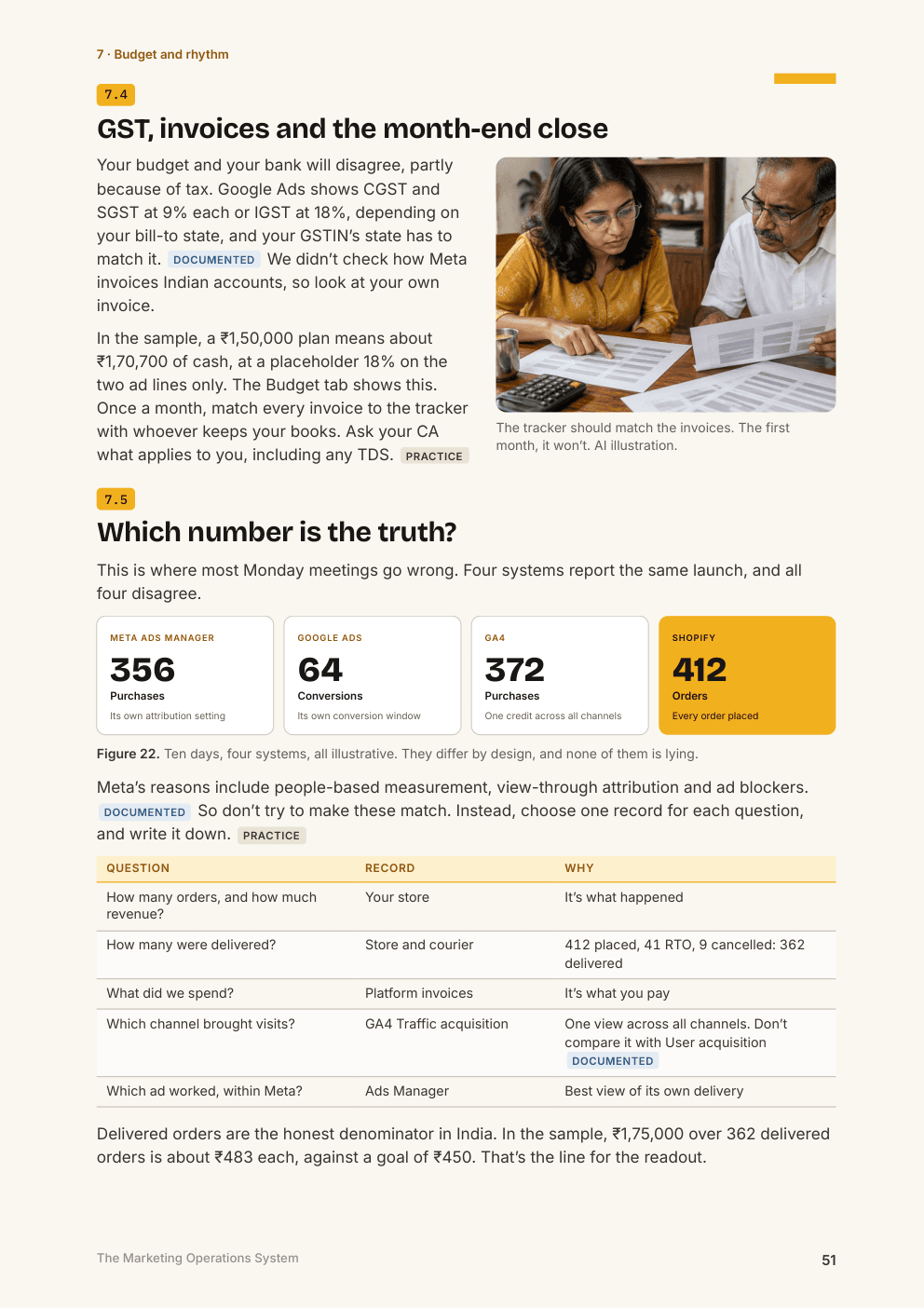
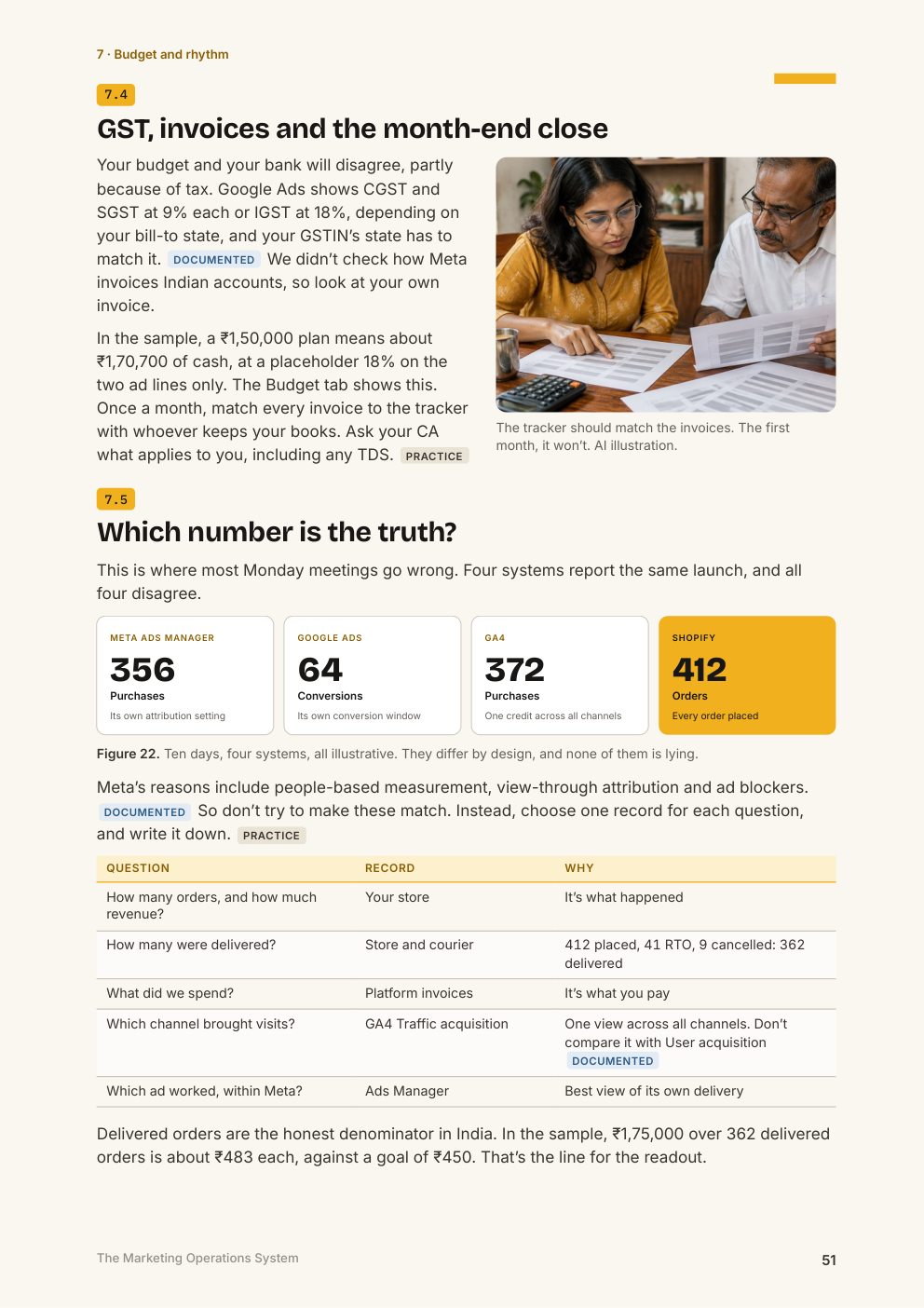
Four systems, four totals, and which one to trust
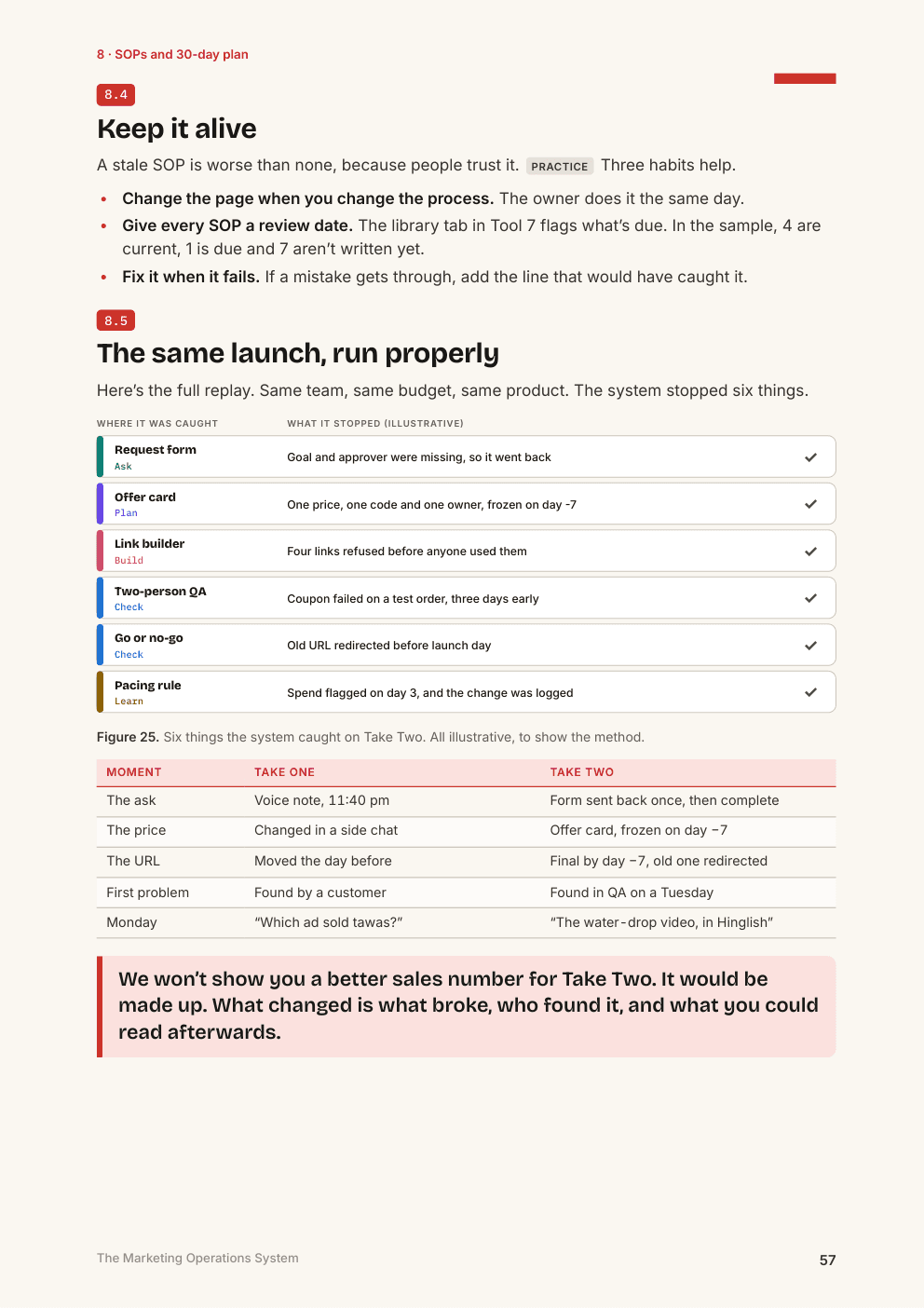
The same launch, run properly
Curriculum
68 pages, 8 chapters
1What Marketing Operations SolvesWhy good teams ship broken campaigns.
- One launch, hour by hour
- What the mess cost, in illustrative rupees
- How much system you really need
2Intake and Process MappingTurn wishes into jobs.
- One door for every request
- Triage in ten minutes a week
- One person answerable for each task
3Campaign Calendar and BriefsOne promise about what happens when.
- Work backwards from the launch
- The one-page brief
- The offer card
4Naming, UTMs and TaxonomyData a report can read a year from now.
- How GA4 sorts your traffic
- Why the question mark matters
- Meta's names freeze at first publish
5Approvals, QA and LaunchCatch it on Tuesday, in private.
- Three kinds of yes
- A test order from click to checkout
- Go or no-go, and launch hour
6Tool Stack and HandoversPick tools for a reason, and keep your accounts.
- When a spreadsheet stops being enough
- Who should own each account
- Handovers that keep the work moving
7Budget Tracking and Measurement RhythmKnow what you spent, and what it did.
- Why platforms don't spend in straight lines
- A pacing rule that forces a decision
- The 30-minute Monday review
8SOP Library and 30-Day PlanMake it outlast any one person.
- Which tasks deserve an SOP
- A library of twelve
- The same launch, run properly
How you get it
- Create an account, and pay securely.
- Your product appears in your library straight away.
- Download the files, and return any time for updated editions.
Edition and updates
Edition 1.0, November 2026, released 7 Nov 2026.
Platform details verified on 1 Nov 2026. The guide lists its sources, and what we couldn't verify.
Questions
Do I need to buy Asana, Notion or another tool?
No. Everything runs in Excel or Google Sheets. Chapter 6 compares the common tools and explains when one might be worth it.
Will this save us time or increase sales?
It's built to catch mistakes before they go live, such as a dead link or a wrong price, and to make your reports readable. What that's worth depends on your team and how consistently you run it.
Is it up to date?
Platform details were checked around 1 November 2026. Meta's help articles were read in full. Google's Help pages blocked us during research, so some Google facts rest on an earlier full reading or on search excerpts, and the sources chapter marks which.
Do the spreadsheets work in Google Sheets?
All formulas use functions available in both Excel and Google Sheets, and every workbook was independently recalculated before release. We did not test the files by opening them in Excel or Sheets themselves.
Are the examples realistic?
Yes. They follow one launch twice, first run on chat and voice notes, then run with the system, so you see the dead links and missed approvals small teams know well. Lohar Kitchen, its team, the chat threads and every number are illustrative, so use your own figures, not theirs.
Will it work for an agency?
Yes. Use the audit and the launch checklist with clients, and Chapter 6 for account ownership and handovers.
Is the legal and tax content advice?
No. Notes on GST, disclosure, consent and telecom rules are general pointers. Please confirm anything that matters with your CA or lawyer.
How will I get it?
After payment, the product appears in your library. Download the guide and tools at any time, and return for updated editions.
Marketing Operations System
₹999, one-time payment.
You might also want
PDF Playbook
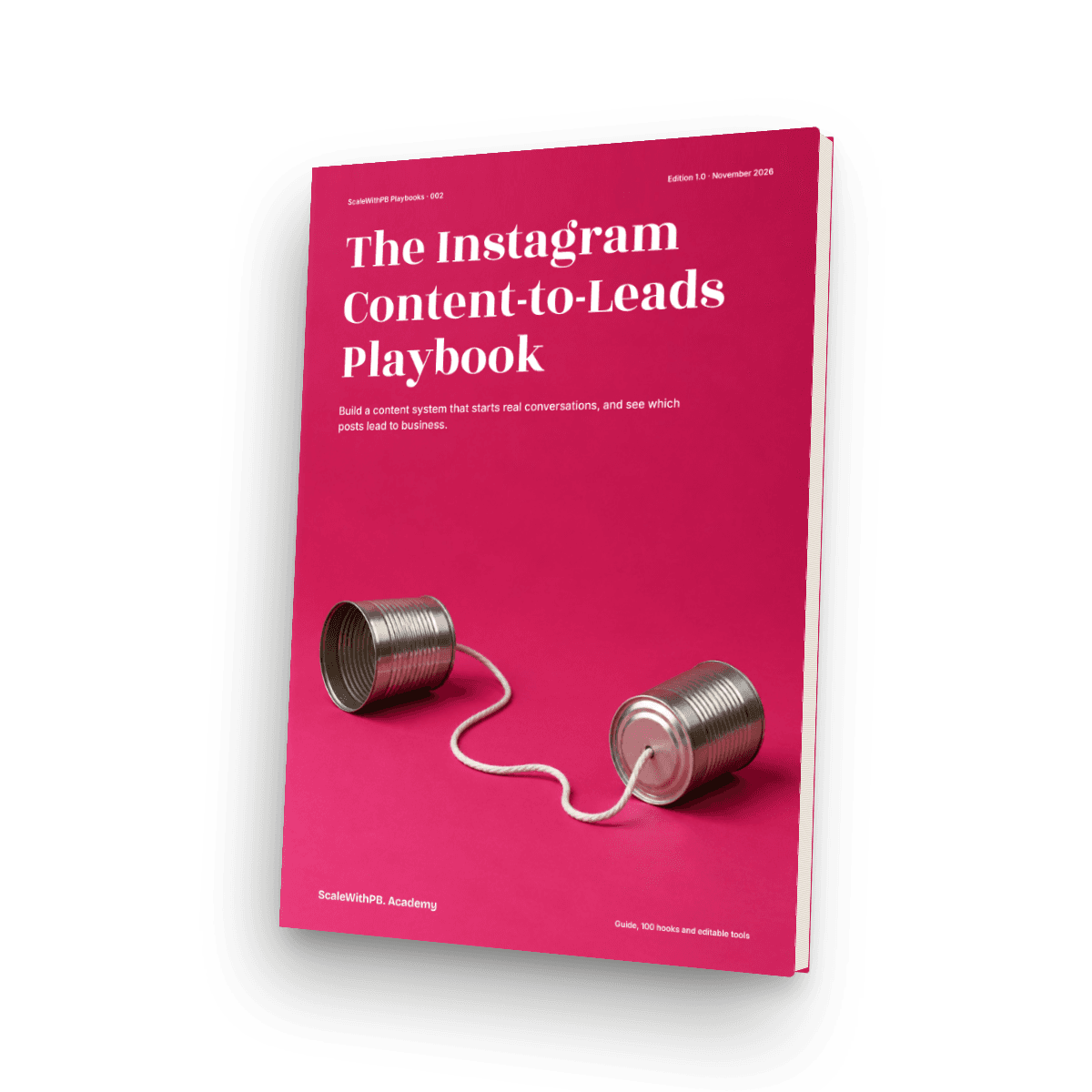
The Instagram Content-to-Leads Playbook
A 73-page playbook, 100 hook starters, and a tracker that shows which posts lead to enquiries and sales.
₹999
PDF Playbook
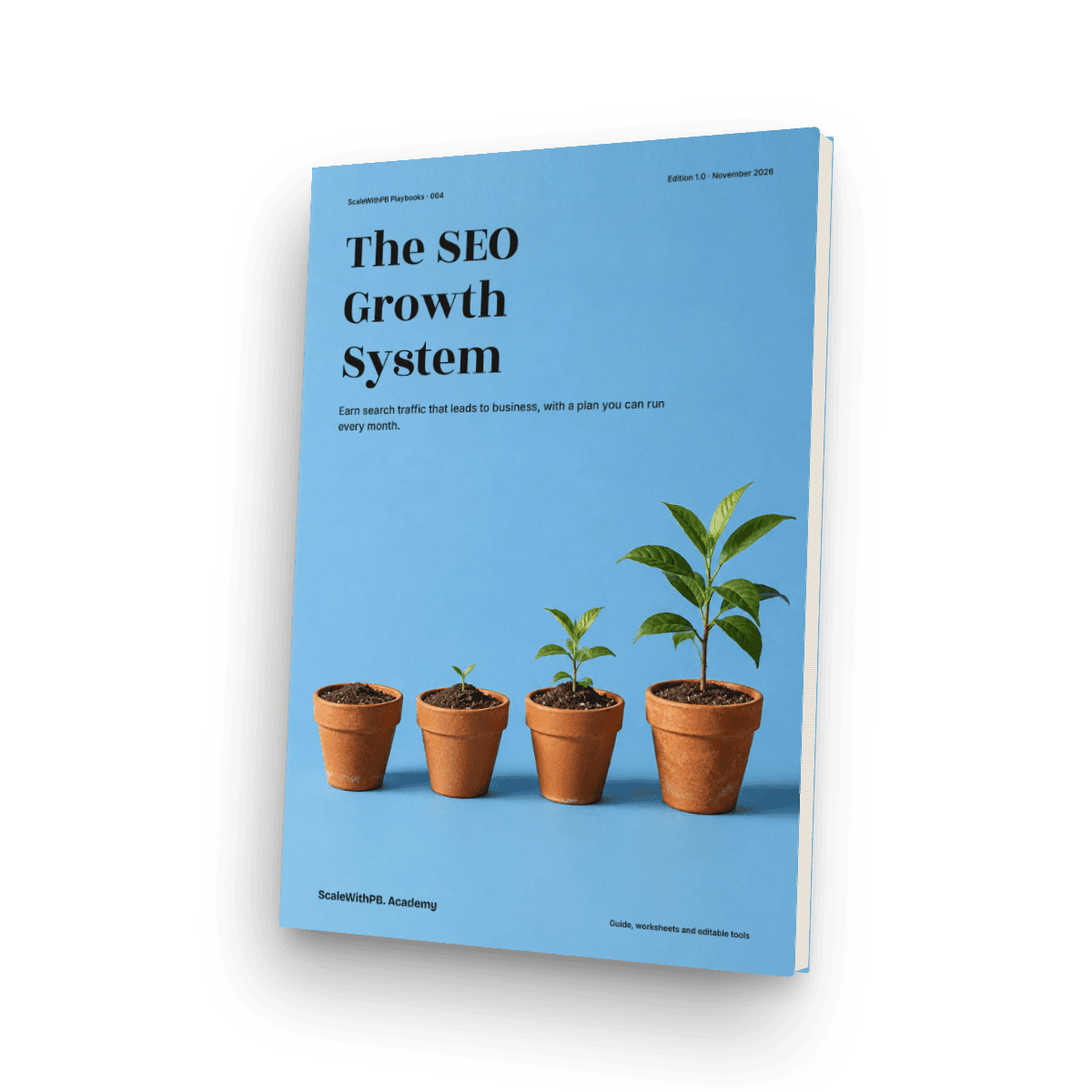
The SEO Growth System
A 66-page guide and seven working spreadsheets for choosing keywords by business value, fixing what stops Google reaching you, and tracking search through to enquiries.
₹999
PDF Playbook
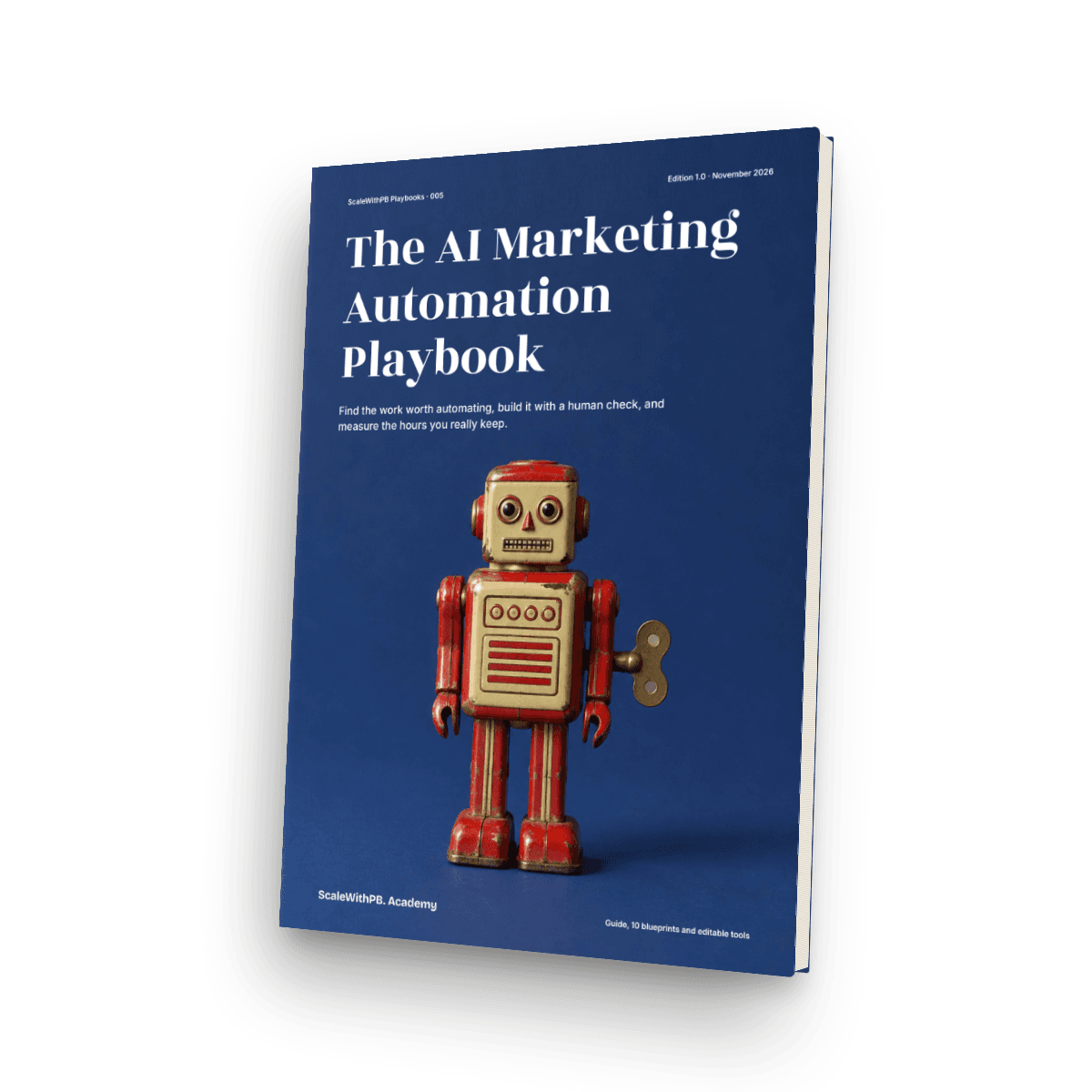
The AI Marketing Automation Playbook
A 68-page guide with 10 workflow blueprints, 25 prompts and working spreadsheets, including WhatsApp and consent rules for India.
₹999